01
Create your free FaucetPay account
Your wallet for receiving micro-payments
Open a free account at
FaucetPay
to receive your earnings automatically.
What is FaucetPay: It is a microwallet platform and payment aggregator
designed to receive, store, and manage tiny fractions of cryptocurrency.It acts as an intermediary
between users and reward sites, allowing you to accumulate small amounts until you have enough to
transfer them to a standard wallet.
02
Visit Autofaucet and enter your email
Use the same email linked to your FaucetPay account
Go to the
Autofaucet
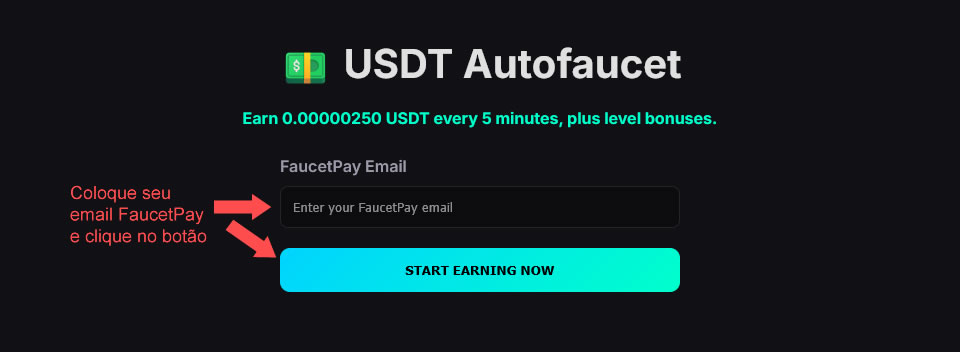
website, locate the box shown below, enter your FaucetPay account email, and click the button to start.
Home screen
Just your email—nothing else
You're all set! Now, you will automatically receive micropayments in your
FaucetPay wallet every 3–5 minutes. If you use the system on a desktop or laptop,
the earnings shown on the page increase from 0.00000250 USDT to 0.00000380 USDT
every 3–5 minutes.
Automatic
Micropayments continue as long as your session is active.
3–5 minutes
Interval observed between automatic credits.
FaucetPay
Funds are received directly into the micro-wallet.
My earnings in less than 12 hours
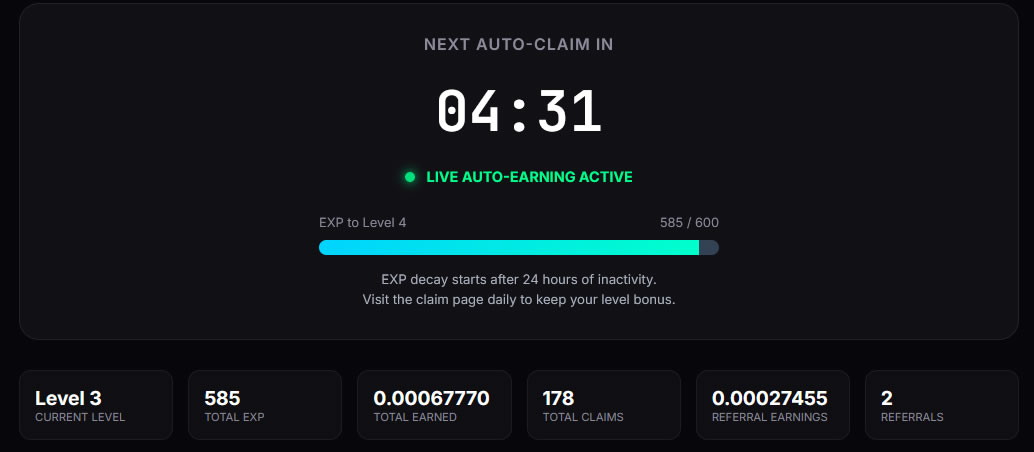
Autofaucet Dashboard
2 referrals at the time of the screenshot
And that is with only 2 referrals so far.
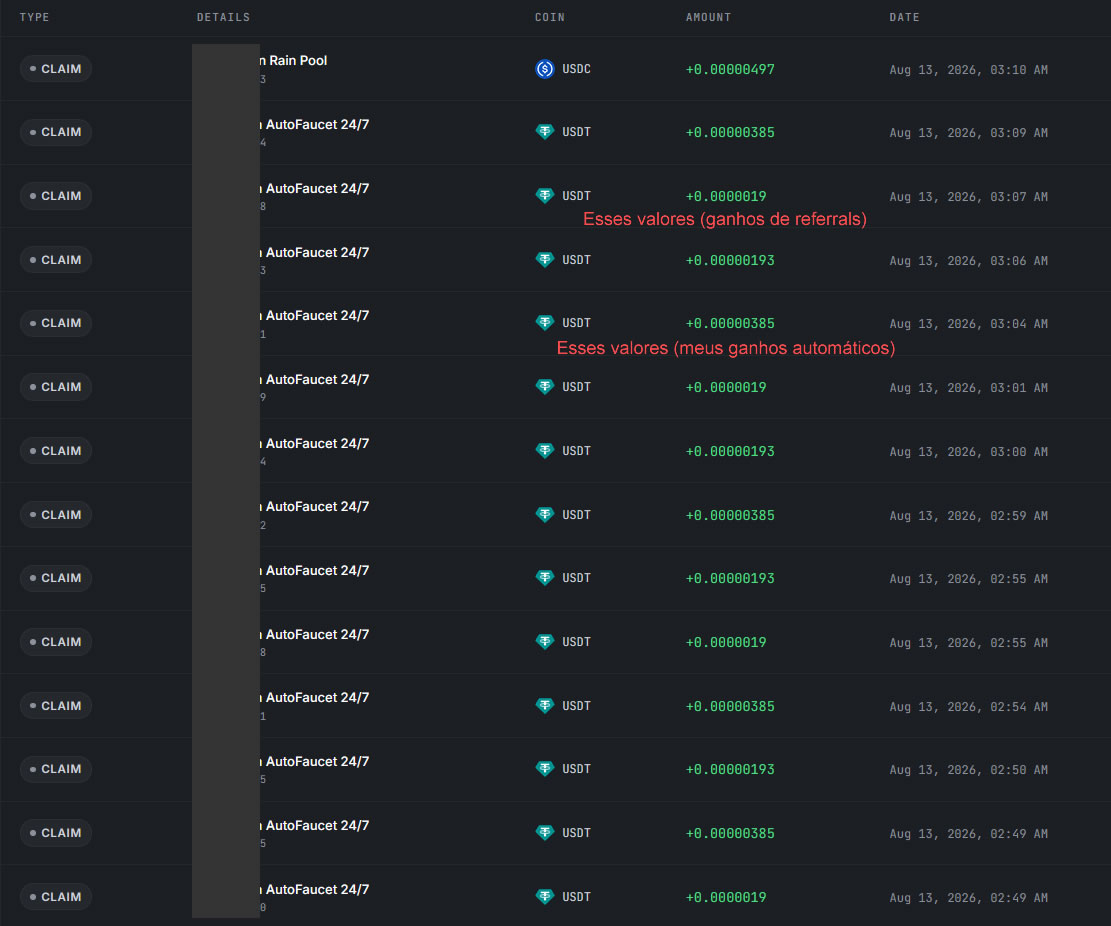
Below is my FaucetPay account statement showing some of the over
178 micropayments received up to that point.
FaucetPay Statement
Automatic credits + referral earnings
Important: Keep the browser tab open. You don't need to watch it constantly,
but check periodically to ensure the session remains active. If the session expires or the token becomes invalid,
return to Autofaucet, re-enter your FaucetPay account email, and pick up where you left off.
03
Earn extra EXP and level up
Use the tasks available in the members' area
Complete activities to earn extra EXP from tasks and level up faster.
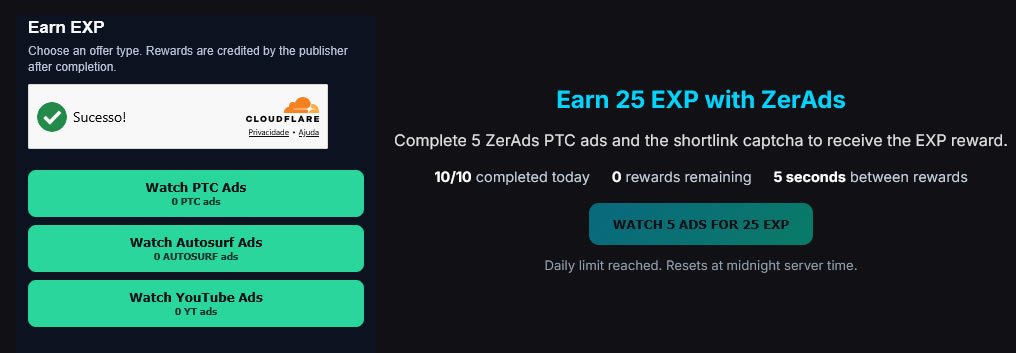
After logging in with your FaucetPay email, locate the areas shown below and use
the available options.
EXP Area
Additional tasks
*Tasks refresh periodically after you complete all of them.
04
Use your referral link
Referrals can boost your earnings
Refer others. At the bottom of the page, within the dashboard area, you will find your
referral link to invite friends.
Tip: Shorten your referral link to avoid direct visits that don't count as referrals.